
Instagram Downloader: Save Instagram Reels, Story, Bio & Profile Photos for Free
Free Instagram downloader and tools to save Reels, Stories, videos and photos quickly and in high quality.
Built around what actually matters when you save something
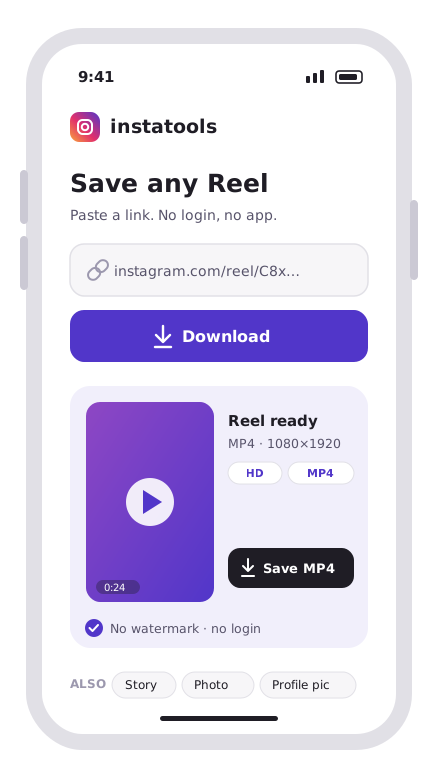
Download Instagram content with no effort via
instatools
instatools website is a tool that allows users to easily download photos, videos, and reels and save captions from Instagram. Users can quickly and easily save content to their devices for later viewing or sharing.
Our service is free and simple to use, requiring only a link to the Instagram post to start the downloading process. Moreover, users can save and keep a collection of their favorite Instagram content to view later without having to rely on internet connectivity.
- No login required
- Simple Interaction
Easily download and save your favorite Instagram content via instatools
Download Instagram Reels
Reel Downloader enables easy download of Reels, keeping the original quality
Copy Instagram Profile's Bio Text
You easily copy captions from Instagram posts with our Caption Saver tool
Download Instagram Profile Pictures
You can effortlessly download and save profile photos via the Profile Picture Downloader tool
Stay updated with the latest
Instagram news

How to Delete or Deactivate Your Instagram Account (2026)
To delete your Instagram account, open Settings, tap Accounts Center, find Deactivation or deletion, pick your profile, tap Delete account, and...

What Is a Good Engagement Rate on Instagram?
Using the most common formula, engagement divided by followers, a rate under 1% is typical for large, established accounts, 1% to 3% is solid, and...

How to Calculate Instagram Engagement Rate (Formula)
Engagement rate measures how much of your audience actually interacts with your content, relative to how many people saw it. Here's how to calculate...
Frequently asked questions
-
Is instatools free?
Yes. instatools is completely free to use. You can download Instagram Reels, videos, Stories, photos, profile pictures and copy bios without paying anything, with no hidden fees and no subscription. There is no paid plan; every tool on the site is free for everyone.
-
Do I need an account or to log in to use instatools?
No. instatools works without any account, sign-up or login. You never enter your Instagram password; just paste a link or type a username and download. This also keeps your activity private and anonymous.
-
Is instatools safe to use?
Yes. instatools is safe and malware-free. We don't store the content you download or track your activity, and there is no software to install; everything runs in your browser. We are not affiliated with Instagram or Meta.
-
What can I download with instatools?
instatools lets you download Instagram Reels, videos, and Stories, save profile pictures in full size, copy any profile's bio, and download videos from private accounts you follow. The box at the top of this page accepts any Instagram link or username.
-
Does instatools add a watermark to downloads?
No. All downloads are watermark-free and saved in the original, high quality. Your videos and photos come out clean, ready for personal use or sharing.
-
Can people see if I download their Instagram content?
No. instatools does not notify the account owner, and downloading or viewing a Story through instatools is anonymous; the person is not told and cannot see that you saved their content.
Instagram download tools for every format
Choose the right tool for the job: download public Instagram videos, Reels and Stories from a link, inspect a profile picture from a username, or copy a profile bio as editable text. The private video workflow is intended only for content you can already view and are allowed to save. Each tool has a focused input, clear error messages and a mobile-friendly result area.
For link-based tools, open the post in Instagram, use Share and Copy link, then paste the complete URL. Profile tools need the username after the @ sign, not the display name. Available quality depends on the source Instagram provides; no downloader can create detail missing from the original. Stories may expire after 24 hours, and deleted or restricted posts may return no result. Use downloads only for your own material or content you have permission to save and republish.